SmallDesk Care helps you keep your Mac cleaner, lighter and easier to understand.
A focused macOS app for storage insight, Smart Scan, safe cleanup review, large files, application leftovers, startup items, menu bar metrics, App Store updates and Pro tools for users who want deeper control. Download it free from the official Apple App Store.
Smart Scan
Quickly review storage pressure, cleanup candidates and large files in one clear Mac-focused overview.
Safe cleanup review
SmallDesk Care shows findings before action, so users can review what may be moved to Trash.
Useful Free version
Free users can scan, preview and understand what is taking space without a confusing maintenance suite.
Pro upgrade path
SmallDesk Care Pro unlocks full access, advanced actions, history and automation. Any available upgrade is managed securely through Apple.
SmallDesk Care for macOS
A practical care workspace for everyday Mac maintenance.
SmallDesk Care is built for people who want a clear, calm way to understand storage, review cleanup candidates, inspect large files, manage app leftovers and keep an eye on startup items. It is not an aggressive one-click cleaner. It is a review-first utility designed around local scanning, visible choices and safer actions.
Storage insight
See free space, used space and the main areas that may need review, without opening multiple system panels.
Smart Scan summary
Turn scattered storage information into practical categories such as cleanup candidates, large files and startup items.
Apps and leftovers
Review installed applications and related support files so removals are easier to understand before action is taken.
Startup awareness
Inspect login and background items that may affect startup time and everyday system behavior.
Free and Pro
Free gives useful insight. Pro unlocks full cleanup power.
SmallDesk Care Free is designed to be genuinely useful: scan your Mac, understand what is taking space and preview the most important findings. SmallDesk Care Pro is for users who want full access, advanced actions, history, automation and deeper control.
Screenshots and feature preview
A clear Mac interface for storage, cleanup and Pro workflows.
Explore Dashboard, Smart Scan, Large Files, Cleanup Preview, Applications, Startup Items, Monitoring and SmallDeskCare Pro. Each screen keeps important information readable and puts the next safe action in your control.
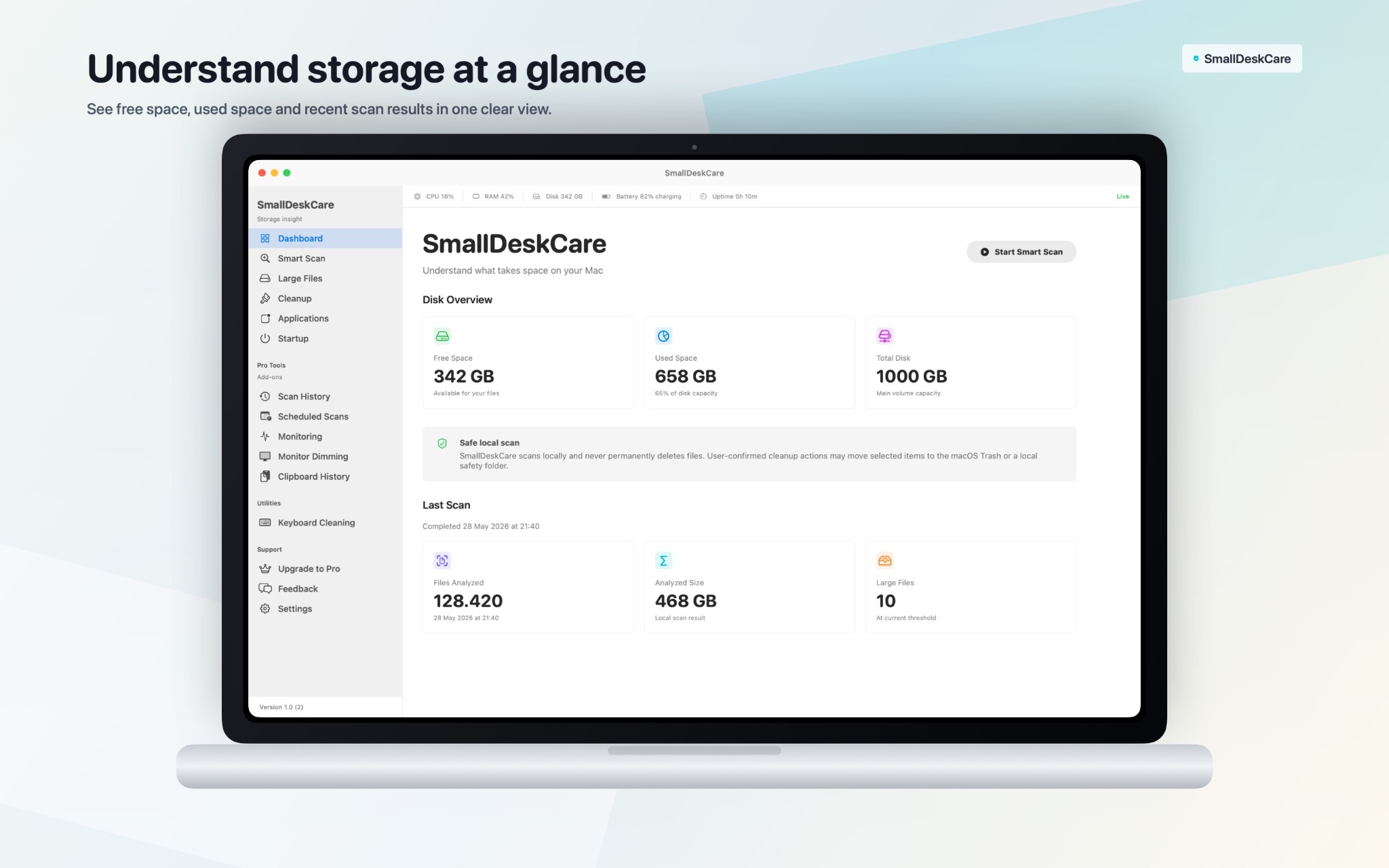
Dashboard
See free space, used space, total disk capacity and the latest scan results in one clear overview.
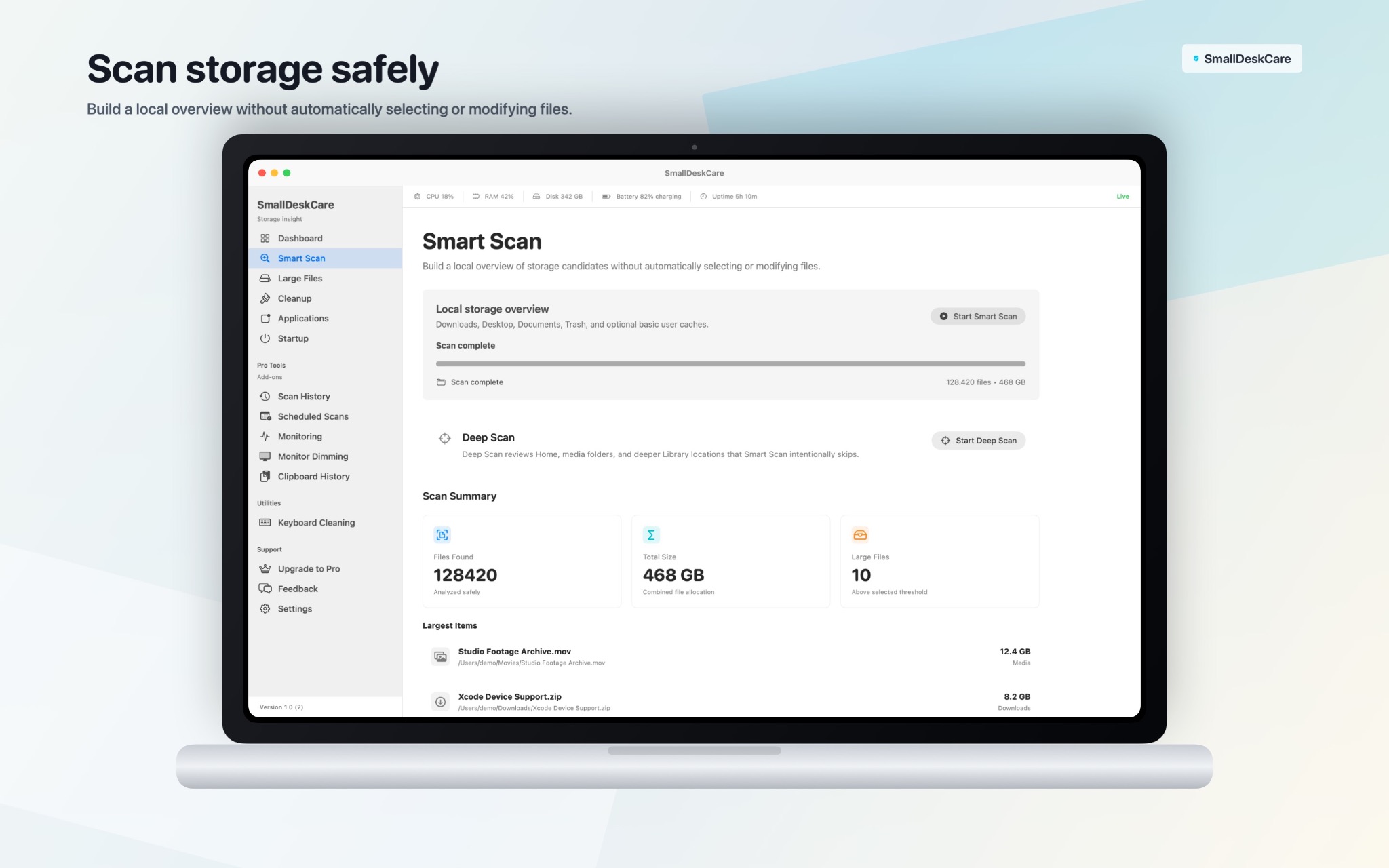
Smart Scan
Scan local storage safely and review files found, analyzed size and large-file results without automatic changes.
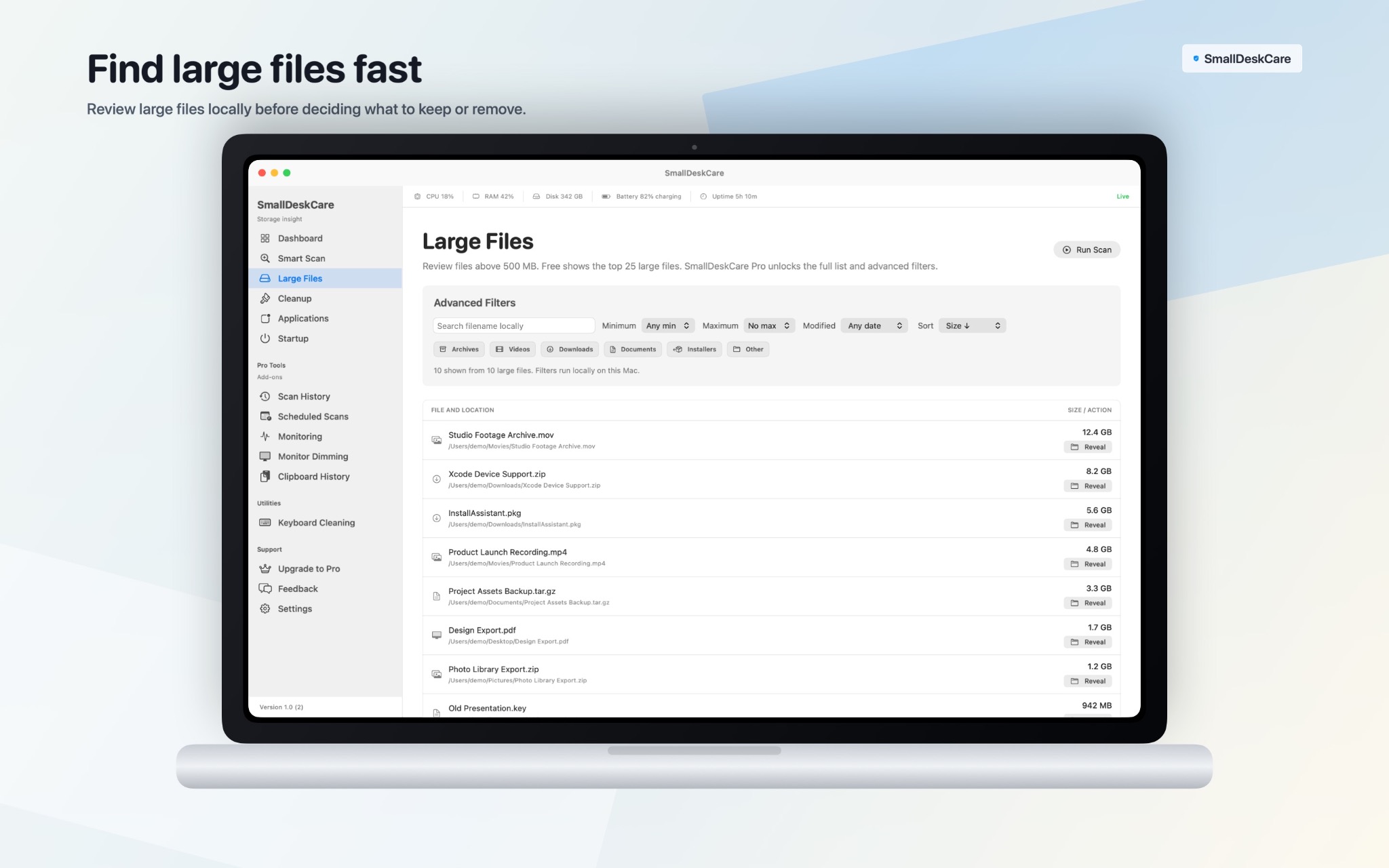
Large Files
Find the biggest files, filter them by type, size and date, and reveal them in Finder before deciding what to keep.
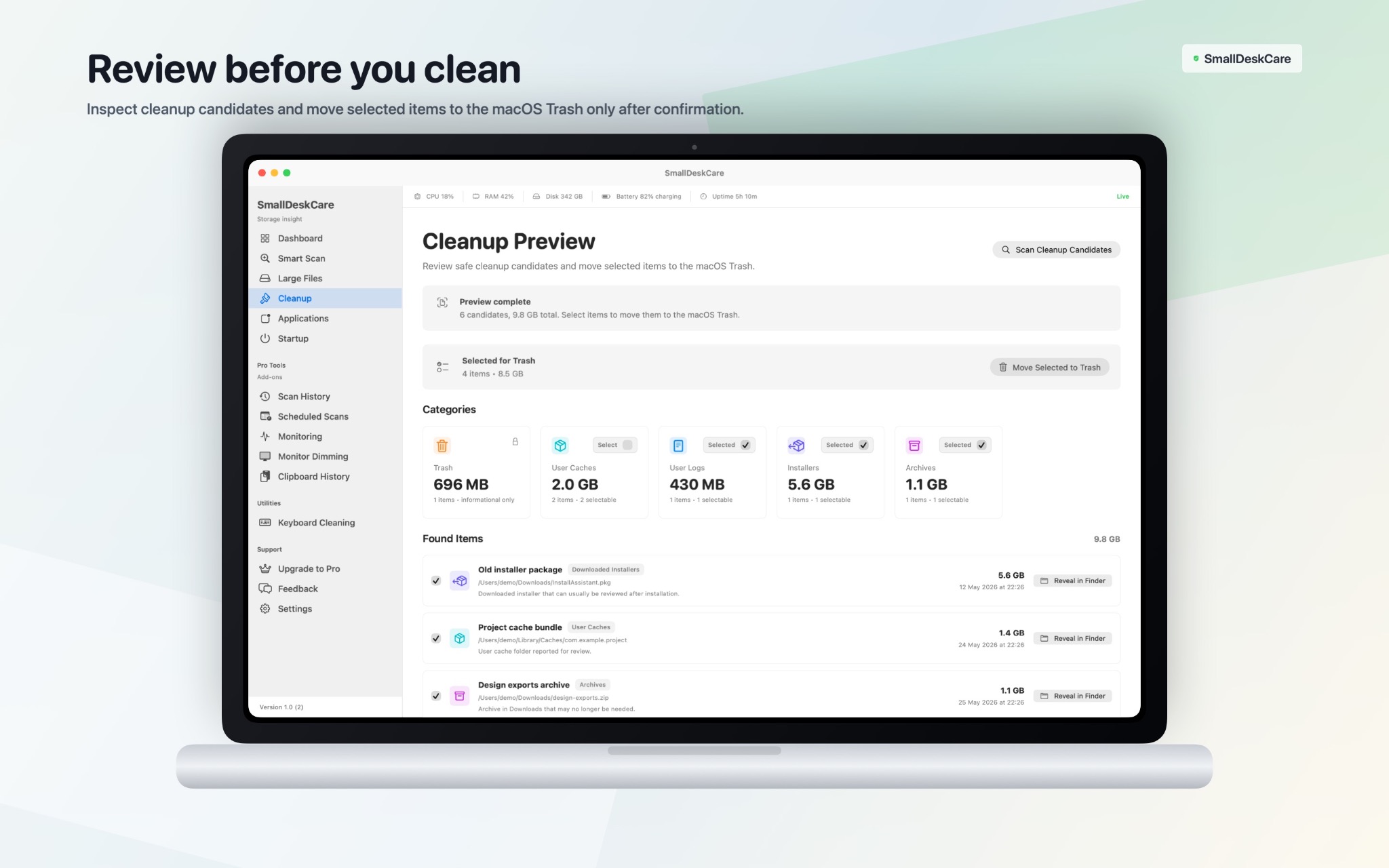
Cleanup Preview
Review cleanup categories and selected files, then move approved items to the macOS Trash only after confirmation.
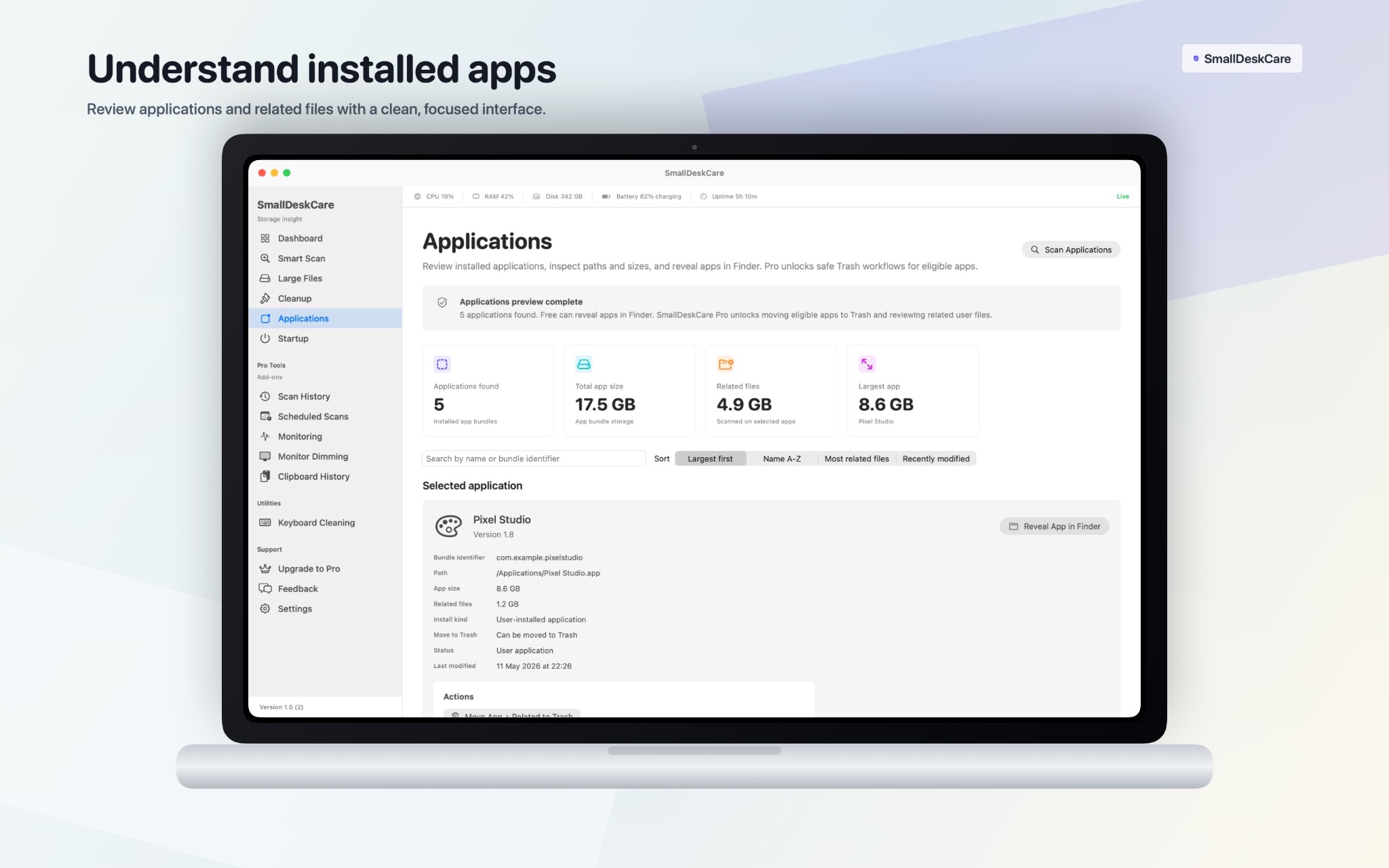
Applications
Inspect installed apps, their sizes, locations and related files before choosing a safe cleanup action.
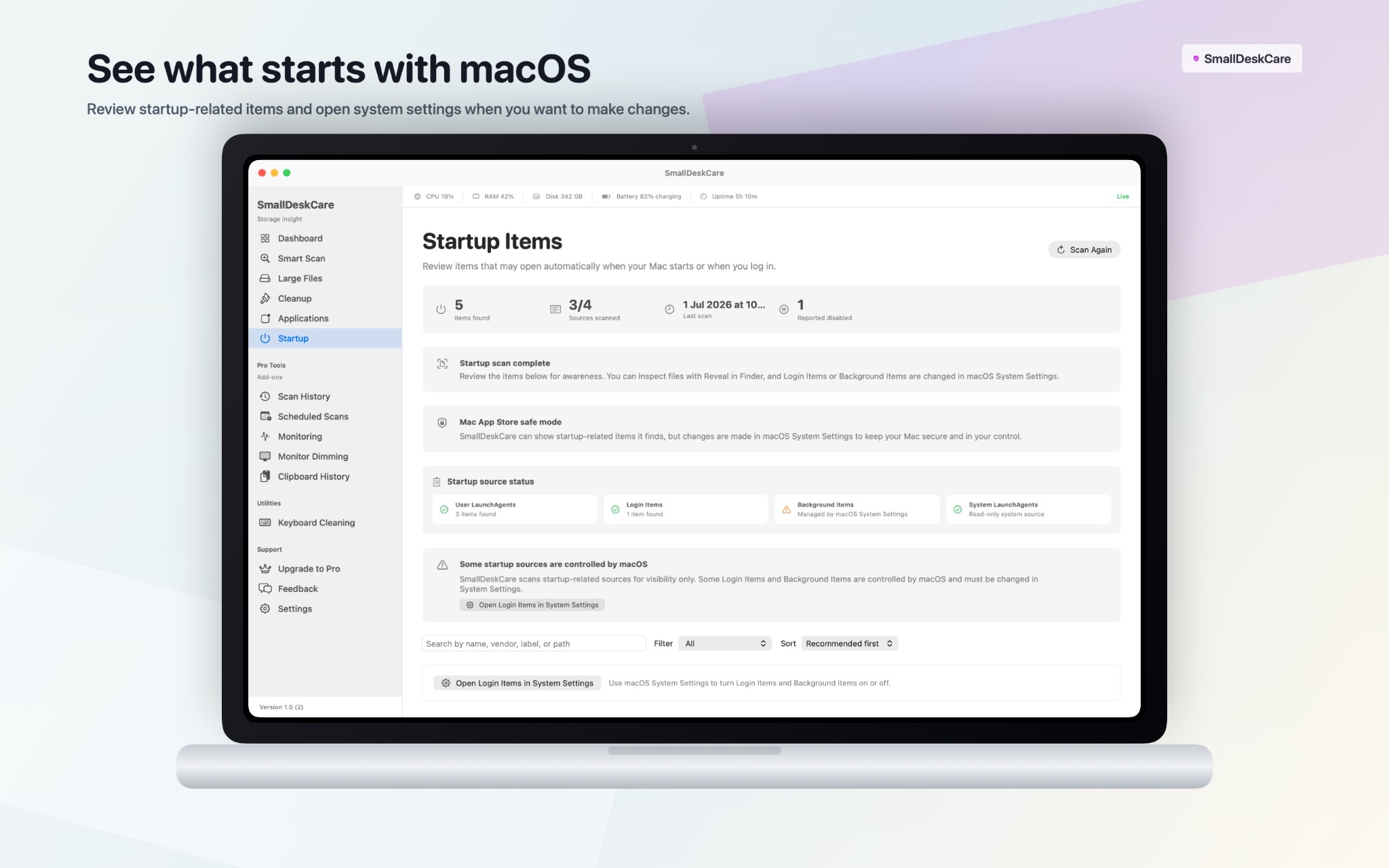
Startup Items
See login and background items, check their source status and open macOS Settings when you want to make changes.
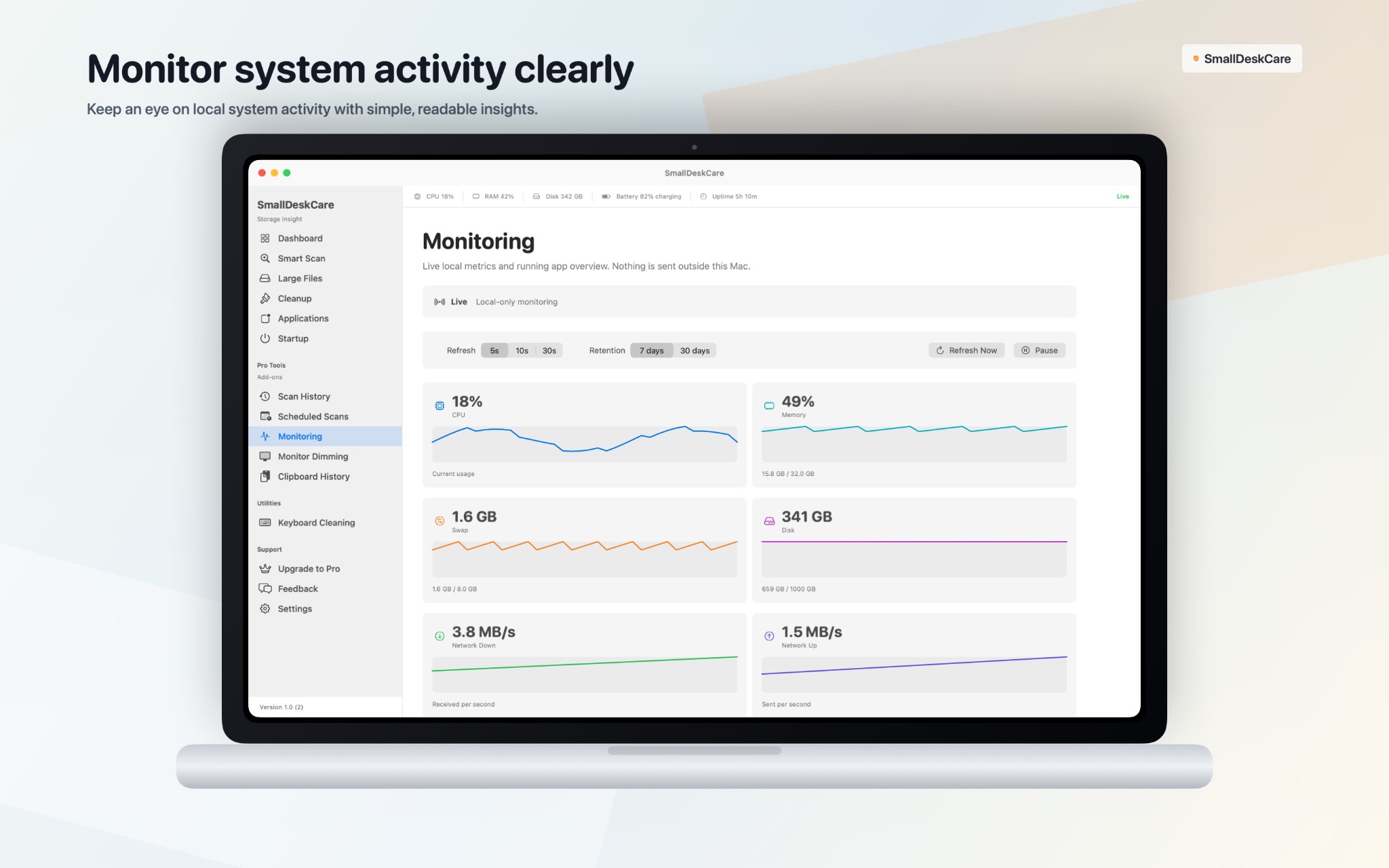
Monitoring
Follow live local CPU, memory, swap, disk and network activity in clear, readable charts.
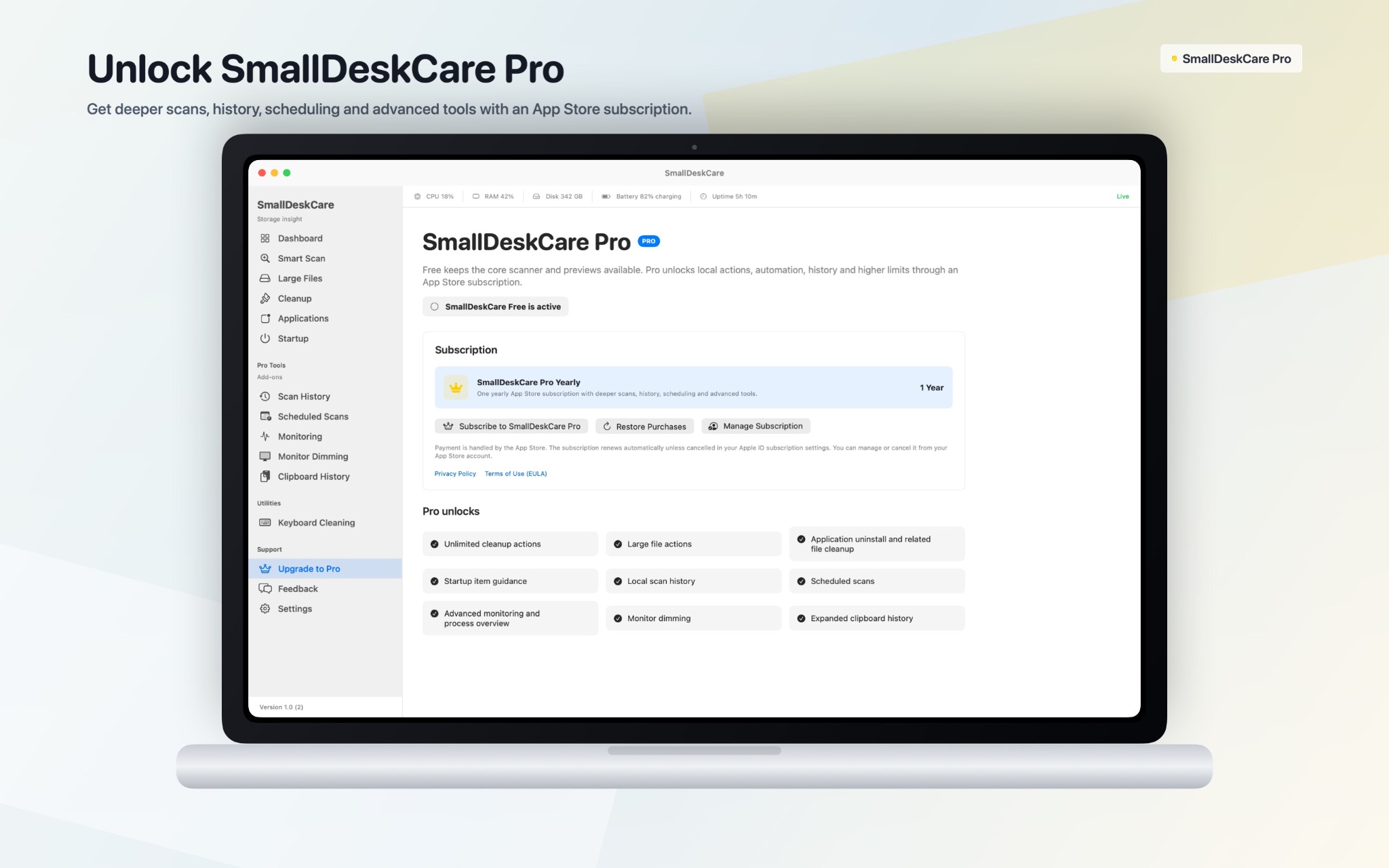
SmallDeskCare Pro
Unlock deeper scans, history, scheduling, advanced monitoring and additional cleanup tools with an App Store subscription.
How it works
Scan, review and act with confidence.
SmallDesk Care is built around a simple workflow: scan local areas, review what was found, then decide what to do. Free users can understand and preview. Pro users can unlock full access, advanced actions and automation.
Scan locally
SmallDesk Care checks selected local storage and system areas on the Mac.
Review clearly
Findings are grouped into understandable categories before action.
Unlock Pro when needed
Pro adds full access, advanced actions and future productivity tools.
Available on the App Store
You may find SmallDesk Care on the official Apple Store.
Install SmallDesk Care securely through Apple. The app is free to download, and future updates are delivered through the App Store.
Free vs Pro
- Free: Dashboard, Smart Scan, basic disk overview, Large Files preview, Cleanup preview, Applications preview, Startup preview, Feedback, Settings and updates.
- Pro: full Large Files access, unlimited cleanup, app cleanup with related files, Startup disable/restore, advanced filters, scan history, scheduled scans and advanced monitoring.
- Availability: SmallDesk Care is free to download from the official Apple App Store.
CONFIDENCE BEFORE CLEANUP
Clean your Mac with clarity, not guesswork.
SmallDesk Care helps you understand what is taking space before you remove anything. Scan your Mac, review clear categories, check large files, inspect apps and startup items, then decide what to clean with confidence.
Safe cleanup decisions
SmallDesk Care shows findings in clear, reviewable groups, so you can decide what should stay and what can be removed.
Better control over storage
Find large files, old downloads, cache candidates and app-related items that quietly take space on your Mac.
Designed to stay private
Scans run locally on your Mac. SmallDesk Care does not upload your file contents, file paths or scan results to a cloud dashboard.
FAQ
Questions before using SmallDesk Care and SmallDesk Care Pro.
This page explains the current product direction, Free and Pro features, App Store availability, privacy and distribution.
Who is SmallDesk Care for?
SmallDesk Care is for Mac users who want a clearer view of storage, cleanup candidates, installed apps, startup items and basic system condition without using an overly complex maintenance suite.
What is included in SmallDesk Care Free?
SmallDesk Care Free includes useful scanning, previews and basic insights: Dashboard, Smart Scan, basic disk overview, Large Files preview, Cleanup preview, Applications preview, Startup preview, Feedback, Settings and app updates.
What does SmallDesk Care Pro unlock?
SmallDesk Care Pro unlocks full large-file access, unlimited cleanup, app cleanup with related files, startup management, advanced filters, scan history, scheduled scans, advanced monitoring and future productivity tools.
Where can I download SmallDesk Care?
SmallDesk Care is free to download from the official Apple App Store. Installation and app updates are handled through Apple.
How will updates work?
Install SmallDesk Care from the official Apple App Store. Future updates are delivered through the App Store according to the user’s macOS settings.
SmallDesk Care for macOS
A focused care workspace for your Mac.
SmallDesk Care combines useful Free storage insight with a clear Pro path for full cleanup, app maintenance, startup management and future productivity tools. Download the app free from the official Apple App Store.